
A toolbox talk every month.
One that sticks.
Choose a toolbox talk from the library, give it with your phone as cue card and have everyone sign off with a QR code. Twelve a year, per department, ready for the audit.
How toolbox talks often still go
The same slides as last year
After five minutes everyone is looking at their phone.
A list on paper
Who was there is written on a sheet that disappears into a folder.
Missed is missed
Whoever was ill or on holiday never hears it.
Agreements without follow-up
Something is agreed, and next month nobody remembers.
Short, one message, and an agreement that comes back
A good toolbox talk starts with a real story, shows something and ends with one agreement. Toolbox2Work helps the presenter do that, every month.
Five fixed steps
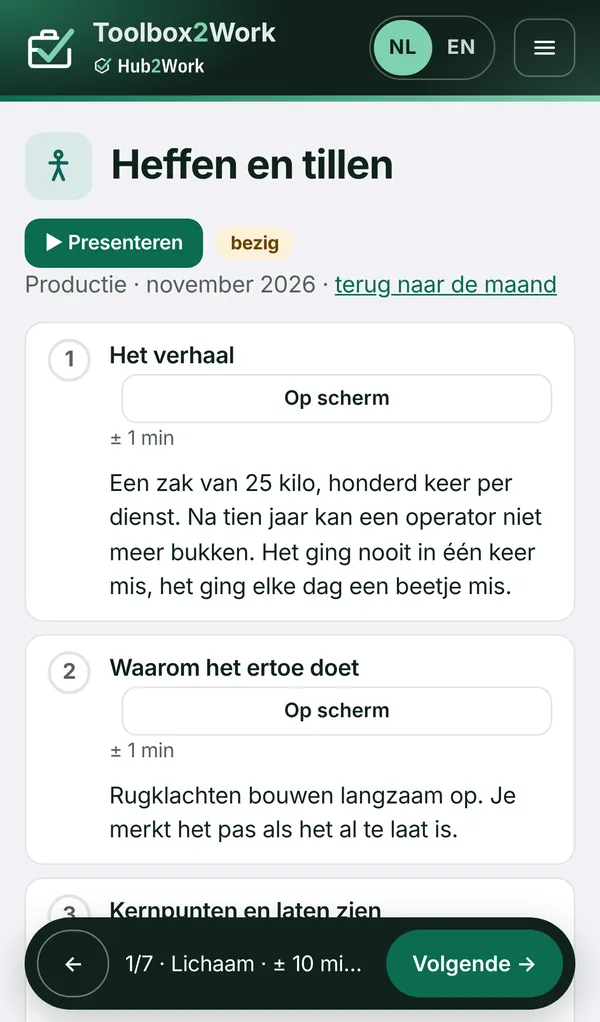
The story, why it matters, key points and a demonstration, discussion, and an agreement.
Your phone as cue card
The presenter sees what to say at each step and puts the step on the big screen with one tap.
Sign off with a QR code
Everyone scans with their own phone or types the code. Anyone without a phone, you tick off.
The agreement comes back
The next toolbox talk starts by asking whether last time’s agreement worked.
Six steps, every month
Choose
Three suggestions for this month, with the whole library behind them.
Give
On your phone as cue card, on the big screen if you like.
Sign off
With a QR code and a code that changes every 30 seconds, or by ticking off.
Agree
One agreement, which comes back in the next toolbox talk.
Catch up
Anyone who missed it reads it later and signs that they have read and understood it.
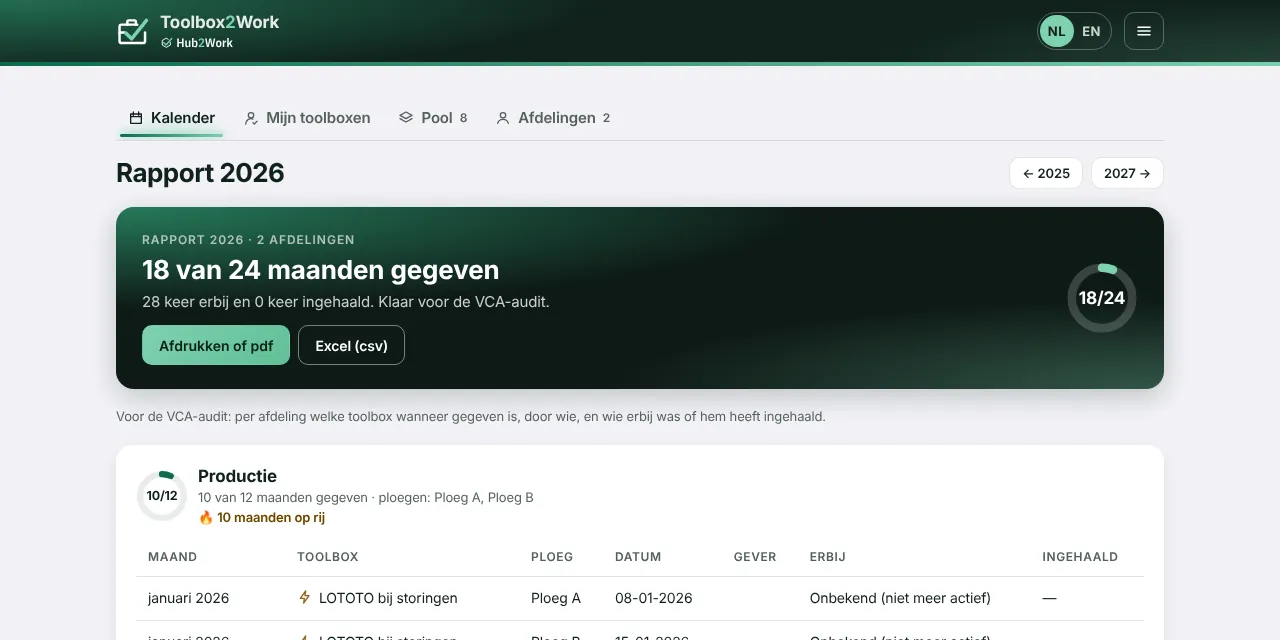
Report
Per department which toolbox talk was given when, and who was there.
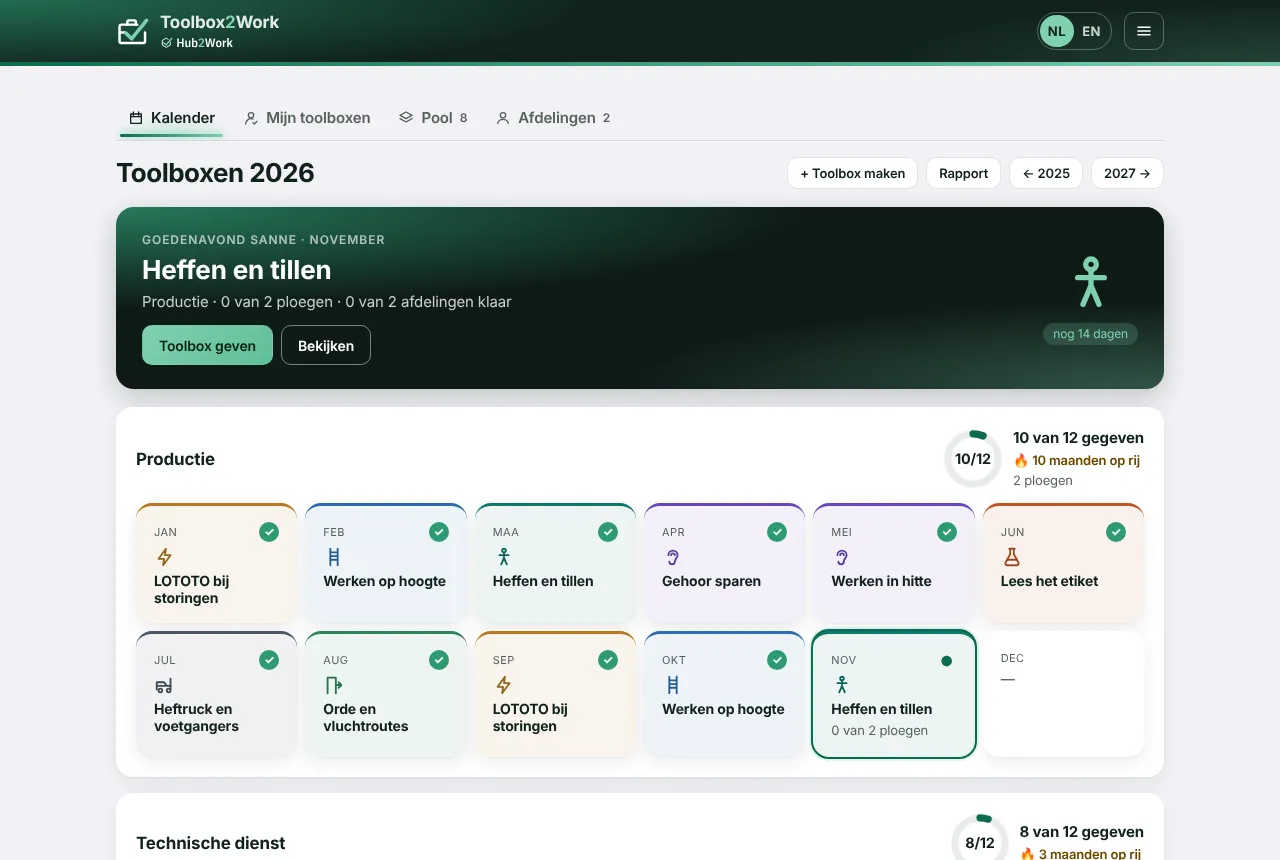
Twelve a year, per department, at a glance
- Year calendar. Twelve monthly tiles per department, showing what was given.
- Shifts. The month is only done when every shift has had the toolbox talk.
- Reminders. Whoever still has to give or catch up gets an email.
- Report for the audit. Print as PDF or download for Excel.
Your data stays yours
Part of Hub2Work
Runs in the Hub2Work portal, with your departments, shifts and employees already in place.
One sign-in via Hub2Work
Sign in with your Microsoft work account; no company account, then a code by email.
Everything recorded
Who gave which toolbox talk when, and who was there, with name and time.
No app needed
Works in the browser on phone, tablet and PC. Hosted in the EU.
Shall we prepare your first toolbox talk together?
Tell us which topics matter to you. In the demo you will see what a month looks like, from choosing to signing off.